
object.dimension / attribute
Kích thước
Dimensions
PROMPT PRIMITIVE → IMAGE ANATOMY → COMPOSER
So sánh Core và Advanced, rồi quay lại recipe đang giữ trên thiết bị.
Primitive đặt cấu trúc chỉ dẫn; các giá trị bên dưới giúp bạn đọc và tinh chỉnh thuộc tính Kích thước bằng dấu hiệu quan sát được.
CORE / NỀN TẢNG
Những giá trị nên học trước.
Mỗi giá trị gắn với cụm prompt và evidence trực quan đã được chấp nhận.
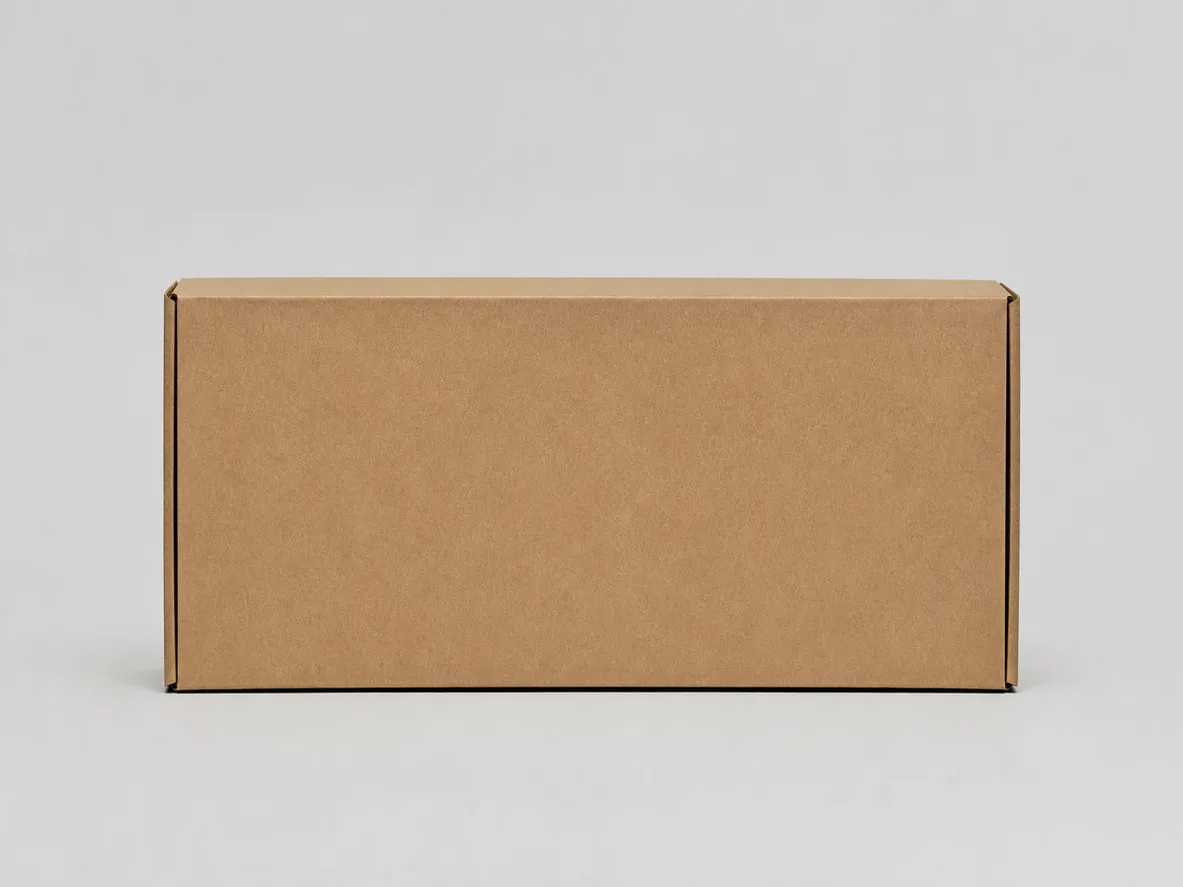
rộng gấp đôi chiều cao, tỷ lệ 2:1
twice as wide as it is tall (2:1)
Giá trị “rộng gấp đôi chiều cao, tỷ lệ 2:1” của Kích thước.
- Cụm prompt
twice as wide as it is tall (2:1)
- twice as wide as it is tall (2:1)
- observable change in Dimensions
- distinguishable without relying on a caption

Xem chi tiết QA và provenance
Application panels intentionally change context; comparison panels hold non-target variables materially consistent, with recorded exceptions for identity-defining targets.
Xem chi tiết QA và provenance
Application role reuses the accepted V1 synthetic reference after value remapping.
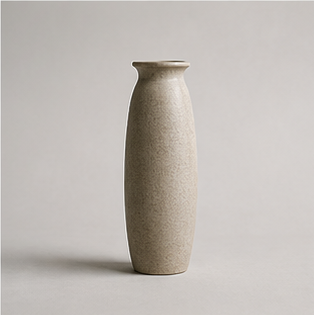
dáng cao hẹp, tỷ lệ 1:2
a tall narrow 1:2 proportion
Giá trị “dáng cao hẹp, tỷ lệ 1:2” của Kích thước.
- Cụm prompt
a tall narrow 1:2 proportion
- a tall narrow 1:2 proportion
- observable change in Dimensions
- distinguishable without relying on a caption
Xem chi tiết QA và provenance
Application panels intentionally change context; comparison panels hold non-target variables materially consistent, with recorded exceptions for identity-defining targets.

Xem chi tiết QA và provenance
Application panels intentionally change context; comparison panels hold non-target variables materially consistent, with recorded exceptions for identity-defining targets.
tỷ lệ rộng–cao cân bằng 1:1
balanced 1:1 width-to-height proportion
Giá trị “tỷ lệ rộng–cao cân bằng 1:1” của Kích thước.
- Cụm prompt
balanced 1:1 width-to-height proportion
- balanced 1:1 width-to-height proportion
- observable change in Dimensions
- distinguishable without relying on a caption

Xem chi tiết QA và provenance
Application panels intentionally change context; comparison panels hold non-target variables materially consistent, with recorded exceptions for identity-defining targets.

Xem chi tiết QA và provenance
Application panels intentionally change context; comparison panels hold non-target variables materially consistent, with recorded exceptions for identity-defining targets.
ADVANCED / MỞ RỘNG
Mở rộng sau khi đã có mốc Core.
Advanced là mốc dạy học có ranh giới rõ, không phải từ điển đóng.
Kích thước — giá trị mở rộng 1
low and wide
Giá trị “Kích thước — giá trị mở rộng 1” của Kích thước.
- Cụm prompt
low and wide
- low and wide
- observable change in Dimensions
- distinguishable without relying on a caption

Xem chi tiết QA và provenance
Advanced value uses the accepted V1 synthetic reference after value remapping.
SO SÁNH CÓ KIỂM SOÁT
Đổi một thuộc tính, giữ phần còn lại.
comparison.object.dimension
The target property necessarily changes subject geometry, identity-bearing appearance, scene content or framing; all other controllable variables remain fixed to the extent physically meaningful.
- built-in image generation route
- base output settings
- aspect ratio
- non-target prompt text
- no text/logo/watermark
- object family outside the target
- studio background
- camera
- lighting
- color treatment